
News
How to Access the Google Docs Trash (2022) Guide!

Naijatechnews | All images and videos are copyrighted to their respective owners
If you are looking to recover or permanently delete your Google Docs documents, you will want to access your Google Docs trash. It’s easy to find that on both desktop and mobile, and we’ll show you how.
Restore or Delete Documents in Google Docs Trash on Desktop
To access your deleted documents on your Windows, Mac, Linux, or Chromebook computer, use the Google Drive site. All your deleted Google Docs are available there.
To start, open a web browser on your computer and launch the Google Drive site. Sign in to your account on the site.
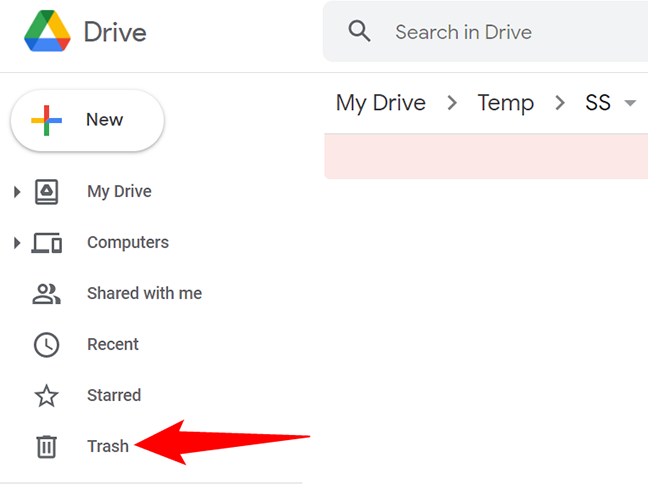
In Drive’s left sidebar, click “Trash.”
 Naijatechnews | All images and videos are copyrighted to their respective owners
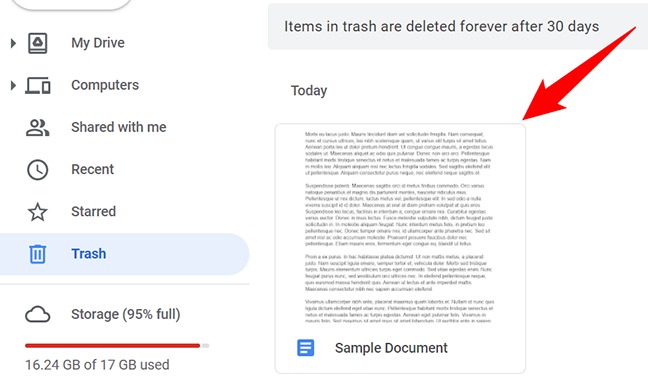
On the right pane, all your deleted Google Docs documents will appear. This page also displays the other files you have deleted from your account.
 Naijatechnews | All images and videos are copyrighted to their respective owners
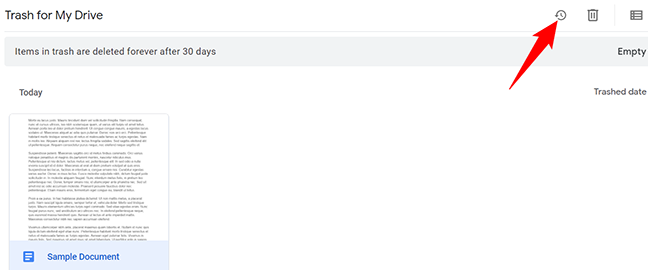
To restore a document, select that document on the list. Then, in Drive’s top-right corner, click the “Restore From Trash” option (a clock icon).
Tip: To recover or delete multiple documents, select them all on the screen and then choose the appropriate option.
 Naijatechnews | All images and videos are copyrighted to their respective owners
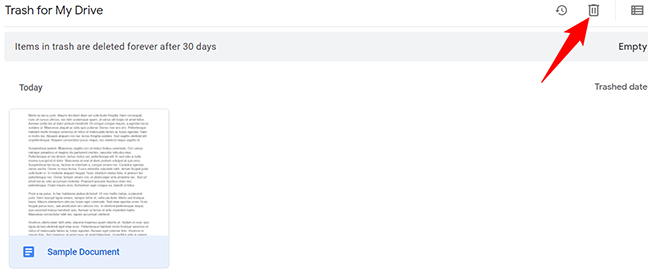
To delete a document for good and free up some space, select that document. Then, in Drive’s top-right corner, click “Delete Forever” (a trash can icon).
 Naijatechnews | All images and videos are copyrighted to their respective owners
And that’s it. Your selected files are now deleted or recovered, depending on what option you chose.
Restore or Delete Documents in Google Docs Trash on Mobile
If you are on an iPhone, iPad, or Android phone, use the Google Docs app to find your Docs recycle bin.
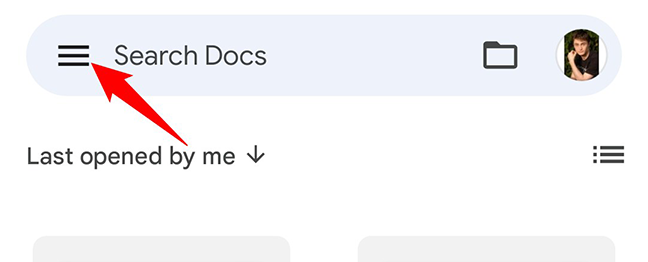
To start, launch the Google Docs app on your phone. In the app’s top-left corner, tap the hamburger menu (three horizontal lines).
 Naijatechnews | All images and videos are copyrighted to their respective owners
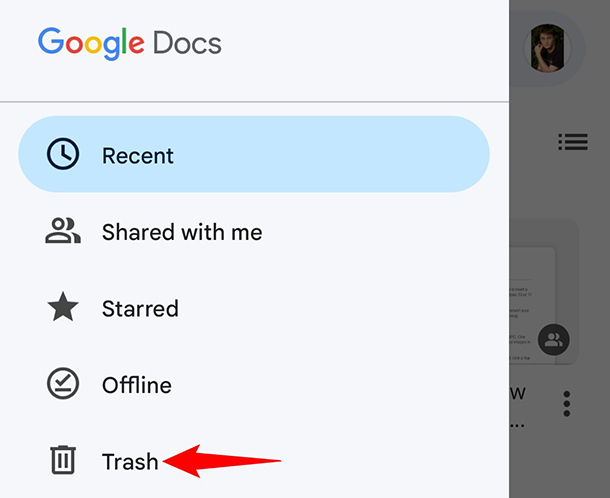
In the menu that opens, tap “Trash.”
 Naijatechnews | All images and videos are copyrighted to their respective owners
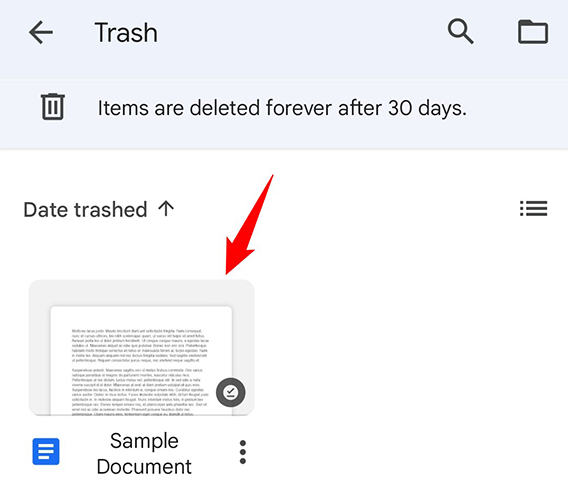
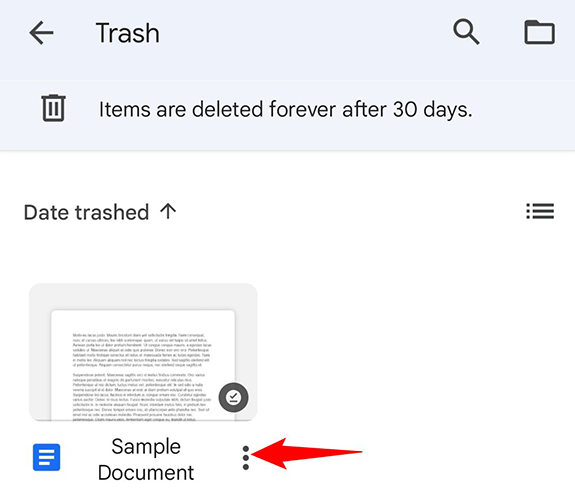
On the “Trash” screen, you will see all your deleted Google Docs documents.
 Naijatechnews | All images and videos are copyrighted to their respective owners
To recover or delete a document, next to that document’s name, tap the three dots.
 Naijatechnews | All images and videos are copyrighted to their respective owners
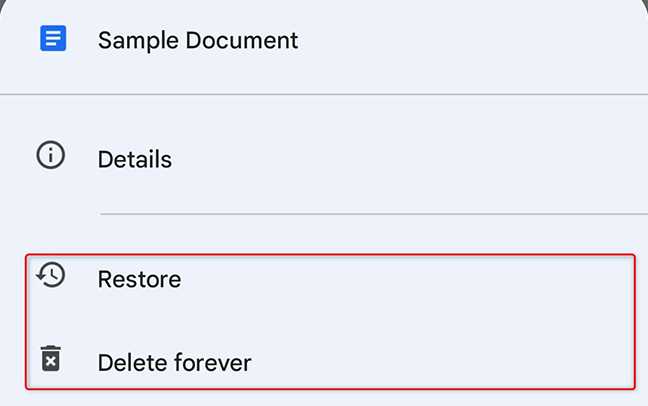
A menu will pop up from the bottom of your phone’s screen. To recover the selected document, tap “Restore” in this menu. To delete the selected document for good, tap “Delete Forever” in the menu.
 Naijatechnews | All images and videos are copyrighted to their respective owners
You are all set.
Did you know you can even delete version history in Google Docs? Check out our guide to learn how to do that.


