
News
How to Connect Spotify to Google Assistant Smart Speakers (2022)

Naijatechnews | All images and videos are copyrighted to their respective owners
It’s super easy to play music with your voice on Google Assistant-enabled Nest smart speakers and smart displays. But in order to link your Spotify account to the Google Assistant, you’ll need to connect it with the Google Home app first. Here’s how it’s done.
Connecting Spotify to your Google account will allow you to play music with voice commands on speakers, displays, phones, and tablets. It’s as simple as saying “Hey Google, play ‘Run the Jewels” or “Hey Google, play my ‘Running’ playlist.” Let’s get started.
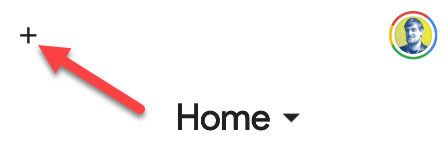
First, open the Google Home app on your iPhone, iPad, or Android device. Tap the “+” icon in the top-left corner to add a service.
 Naijatechnews | All images and videos are copyrighted to their respective owners
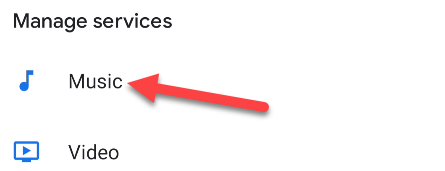
Scroll down to “Music.”
 Naijatechnews | All images and videos are copyrighted to their respective owners
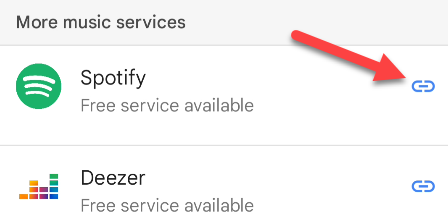
Here you’ll see the list of available music services. Find “Spotify” and tap the link icon.
 Naijatechnews | All images and videos are copyrighted to their respective owners
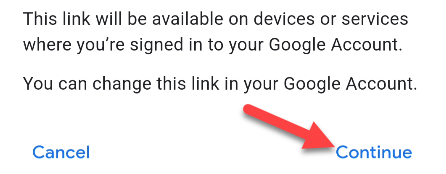
The next screen explains that Spotify will be linked to all devices and services that use your Google account. Tap “Continue.”
 Naijatechnews | All images and videos are copyrighted to their respective owners
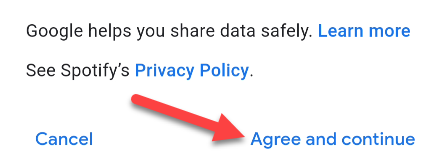
Now you’ll see some information about what Google and Spotify will be able to do together. Tap “Agree and Continue” to proceed.
 Naijatechnews | All images and videos are copyrighted to their respective owners
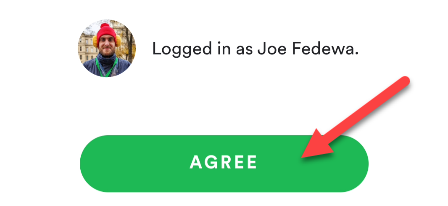
Next, you’ll be taken to the Spotify app. Again, you’ll be shown what Google and Spotify will have access to. Tap “Agree” if you want to continue.
 Naijatechnews | All images and videos are copyrighted to their respective owners
That’s it! Spotify is now linked to your Google account and will be available on Google Assistant-enabled devices. It will now be the default music service as well. You can change that by selecting a different service on the “Music” page in the Google Home app.


