


Steps On How To Withdraw To A Bank Account From Binance, Many cryptocurrency traders have joined the Binance trading platform for a variety of reasons, including its low withdrawal fees. In addition to offering a straightforward way to buy and sell stocks, Binance makes it easy to withdraw fiat to your bank account. They support the withdrawal of 14 fiat currencies via several payment methods.
If you’ve sold your crypto for a fiat currency and are unsure how to withdraw the funds to a bank account, we’ll show you how using various devices. In addition, our FAQs section includes how to withdraw crypto to an external wallet.
How to Withdraw From a Binance Account on a PC
When you withdraw USD from your account to your bank using the SWIFT payment method, there are no fees. However, it may take up to four business days for the funds to reach your bank account. Follow the steps below to withdraw USD using SWIFT:
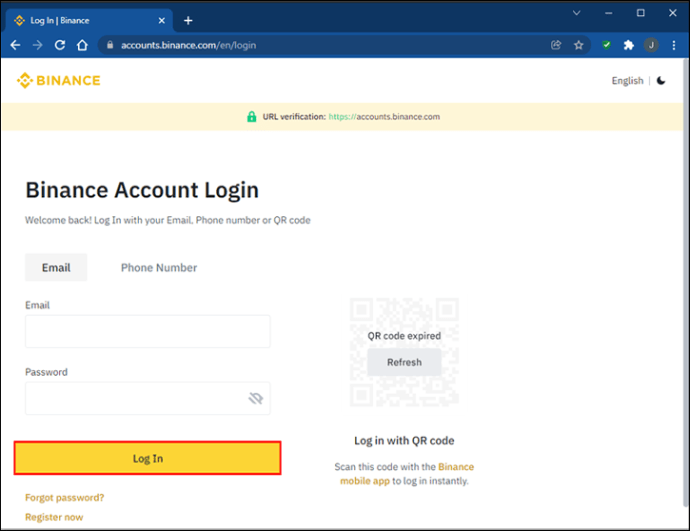
- Sign in to your Binance account via the website or desktop app.
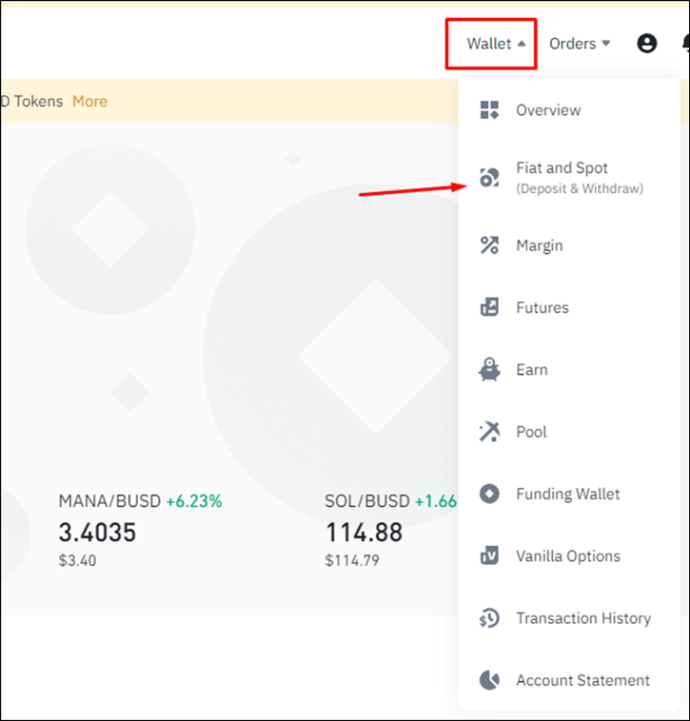
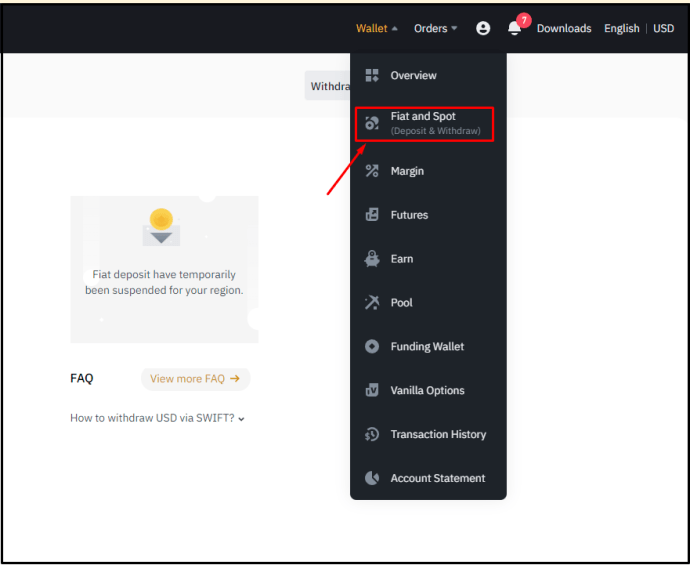
- Select the “Wallet” option, then “FIAT and Spot” from the pull-down menu. A list of all your available fiat and crypto balances will display.
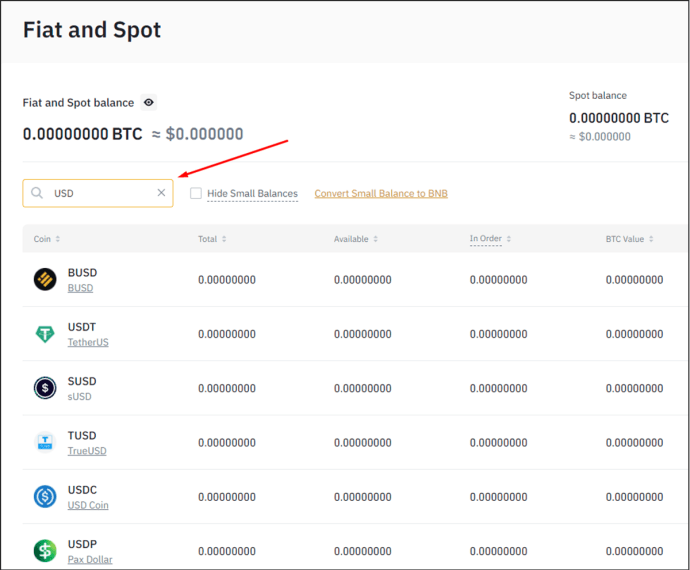
- To select the fiat currency you wish to withdraw, enter “USD” in the text field or find it in the list
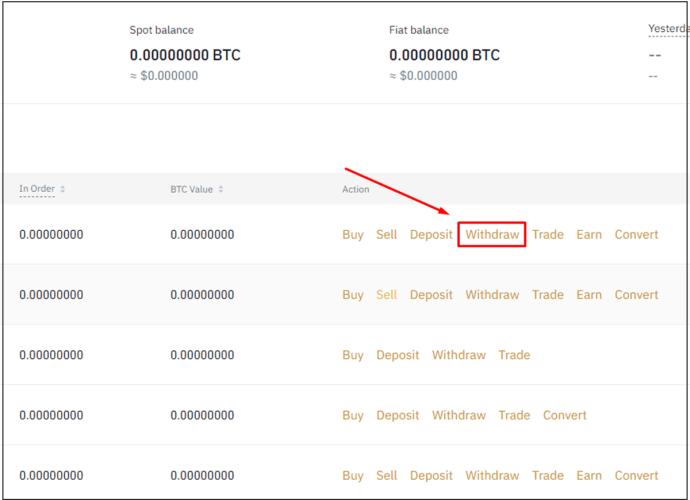
- Toward the right of the “USD” option, select “Withdraw.”
- On the “Withdraw Fiat” screen, at “Currency to withdraw,” your balance will display. The “Bank Transfer (SWIFT)” option will pre-populate automatically.
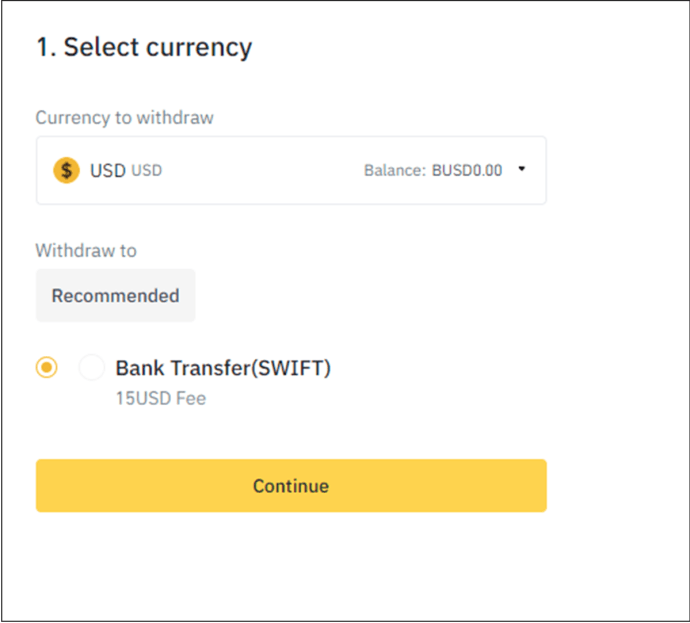
- Enter an amount to withdraw or select your USD balance.
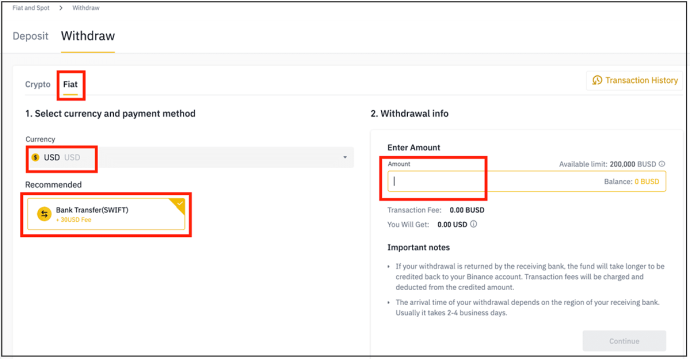
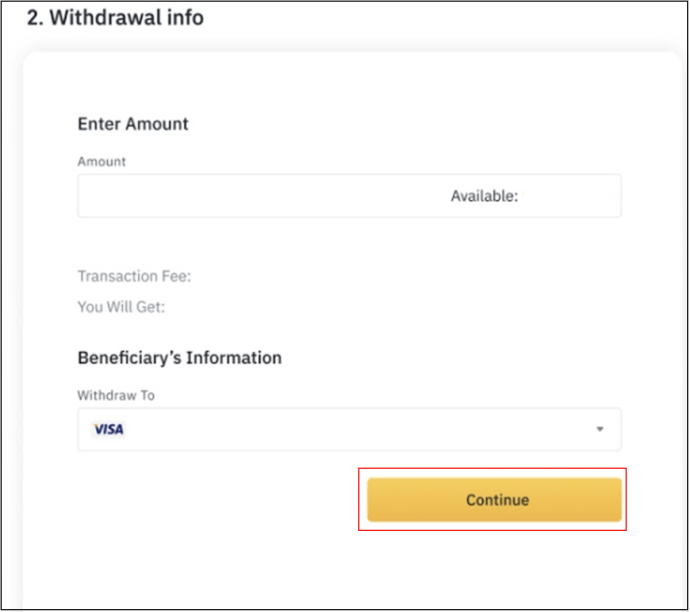
- Click “Continue” to create the request.
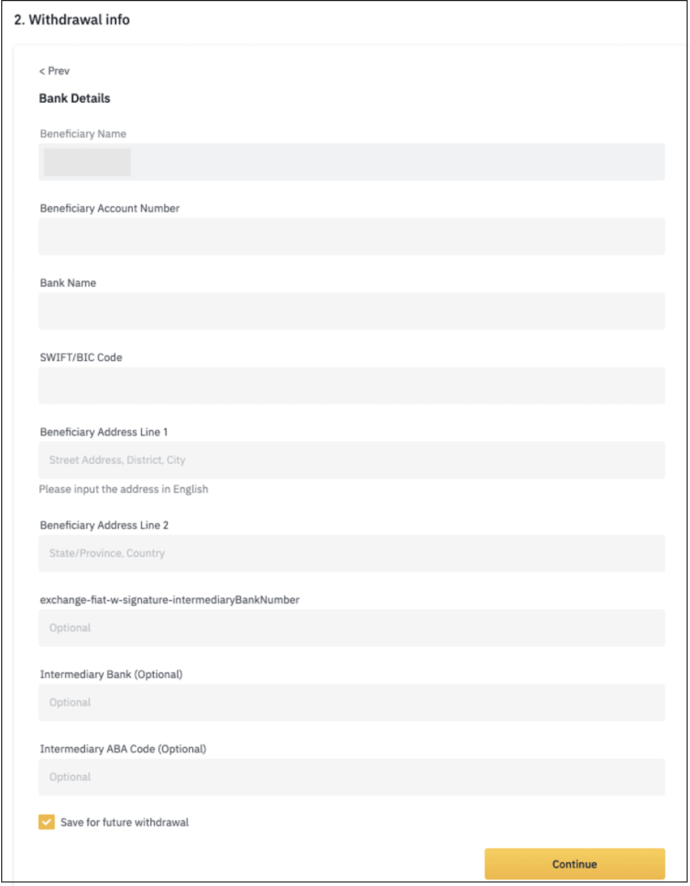
- Next, you’ll need to enter the receiving bank and account holder details.
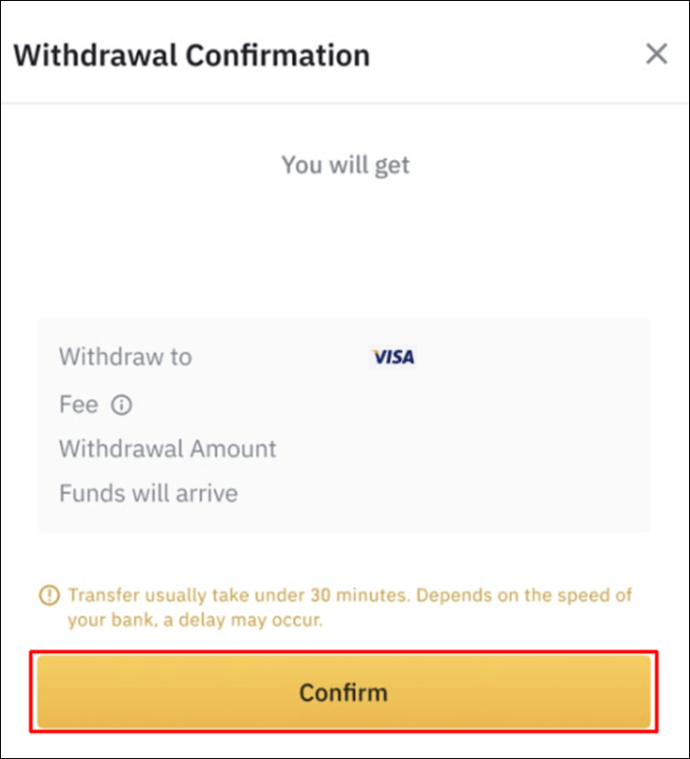
- Verify that the details are correct on the “Withdrawal Confirmation,” then “Confirm.”
How to Withdraw From a Binance Account on an iPhone
Withdrawing USD from your Binance account using the SWIFT methods means no fees. However, the funds may take up to four days to clear in your account. Here’s how to make a SWIFT USD withdrawal in Binance using your iPhone:
- Sign in to your account via the app.
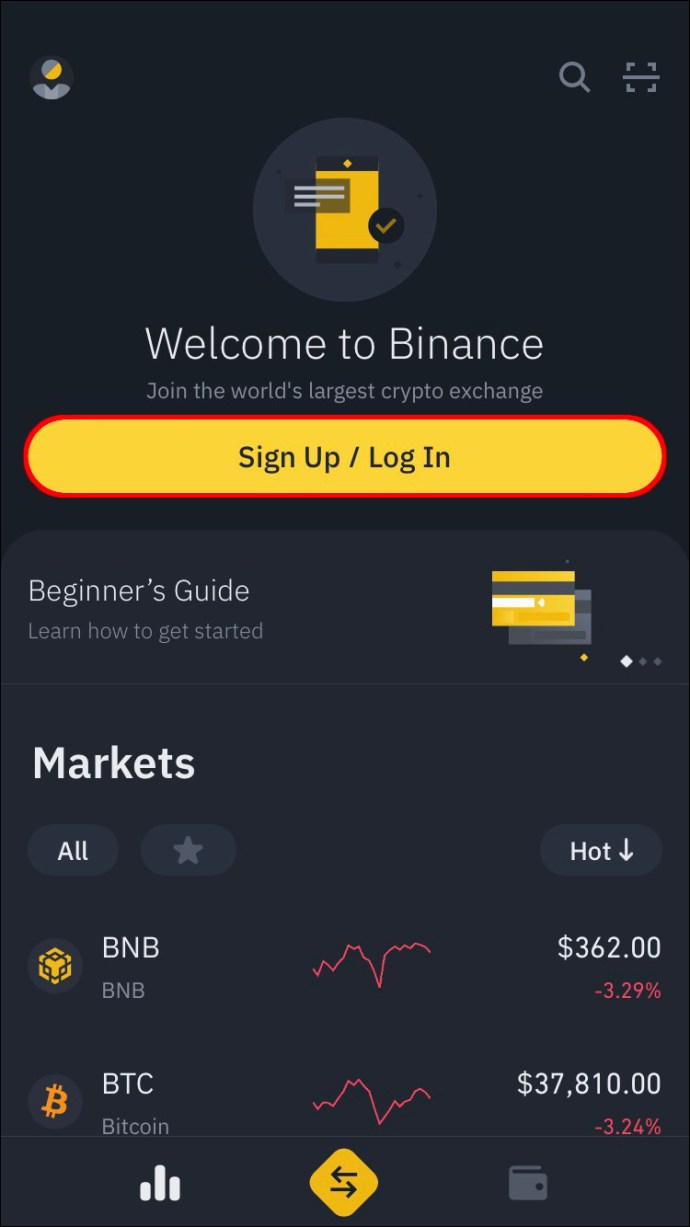
- Tap the Wallet icon at the bottom right.
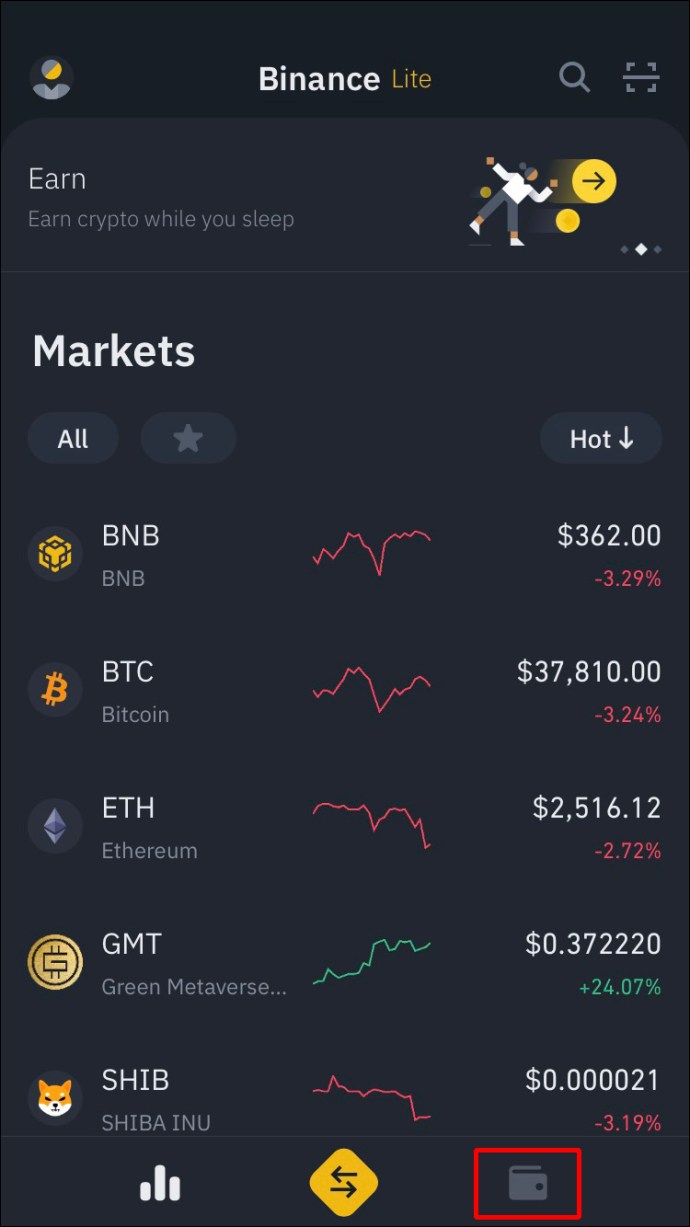
- Scroll through the currency list and select “USD.”
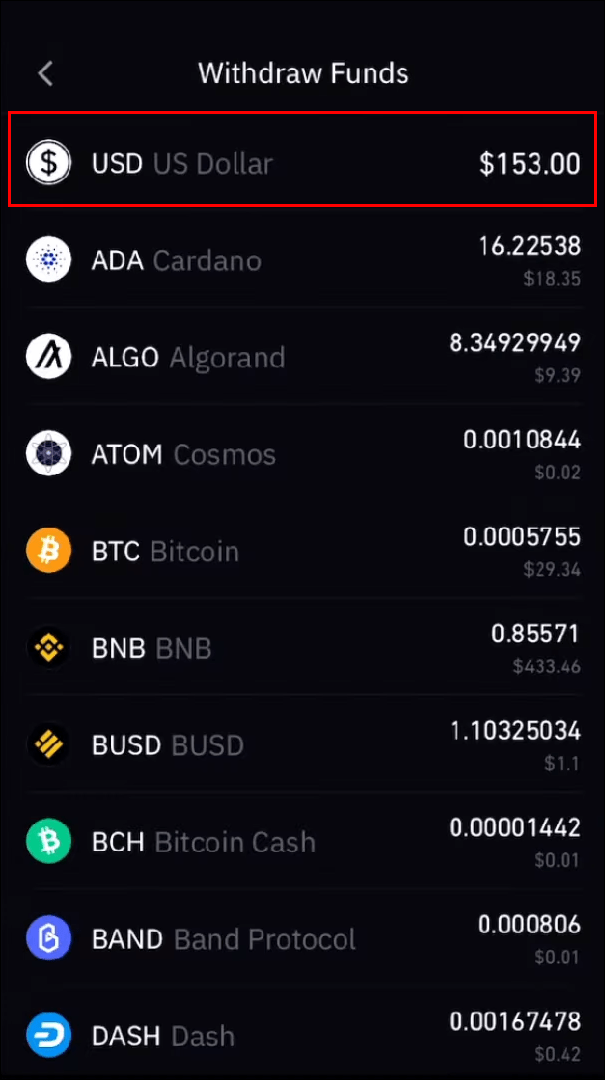
- At the bottom left corner, tap “Withdraw.”
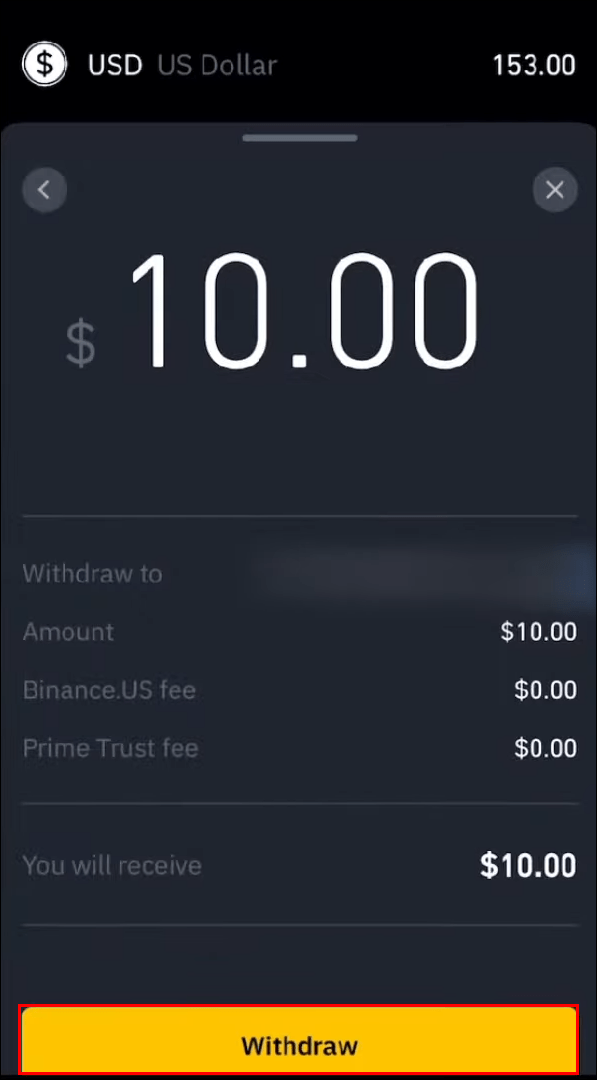
- On the withdrawal screen, under “Recommended,” the “Bank Transfer (SWIFT)” option will display. The “Withdrawal info” section will confirm how long the transaction may take.
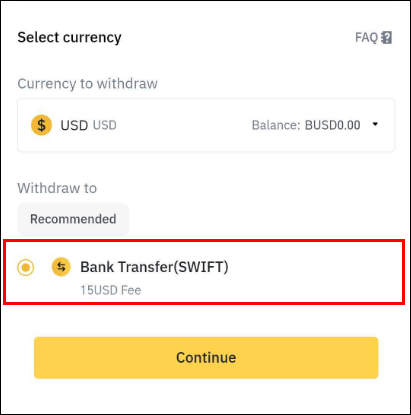
- At “Enter Amount,” tap on the text field to enter a specific amount or select “Available” to withdraw the balance.
- Tap “Continue.”
- Now enter the receiving account details. Your name will automatically populate the “Receiver Name” field. Hit “Continue.”
- A “Withdrawal Confirmation” pop up will display. If all the details are correct, choose “Confirm.”
How to Withdraw From a Binance Account on an Android
By withdrawing USD to your bank with the bank transfer “SWIFT” method, they’ll be no transaction fees to pay. Although you may have to wait up to four business days for the funds to clear. Follow these steps from your Android device to make a withdrawal:
- Access your Binance account.
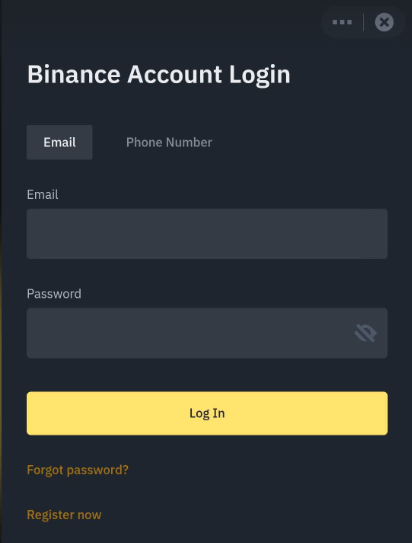
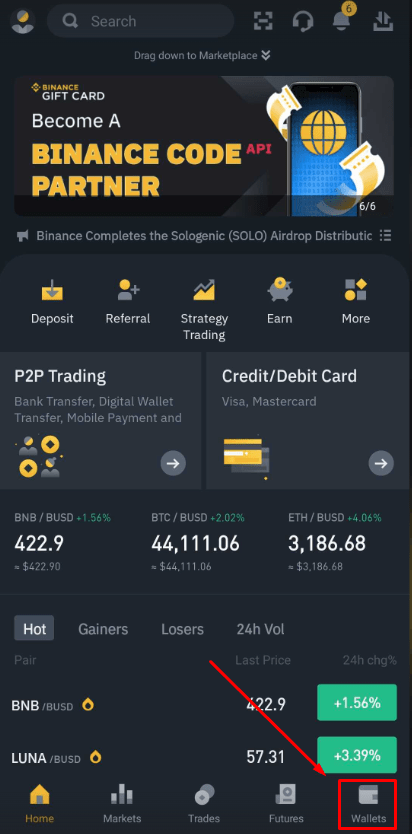
- Press the Wallet icon at the bottom right.
- Scroll through the currency list, then tap USD to select it.
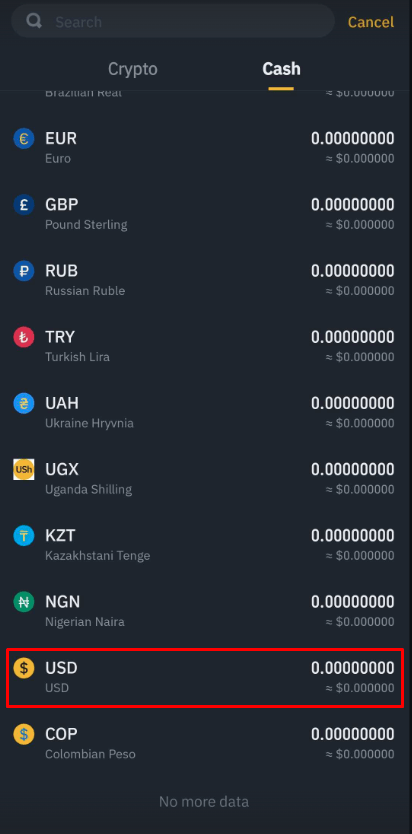
- Tap “Withdraw” at the bottom left corner.
- Via the withdrawal screen, beneath “Recommended,” the “Bank Transfer (SWIFT)” option should display.
- Scroll down to the “Enter Amount” text field to enter an amount, or select “Available” to withdraw the balance, then press “Continue.”
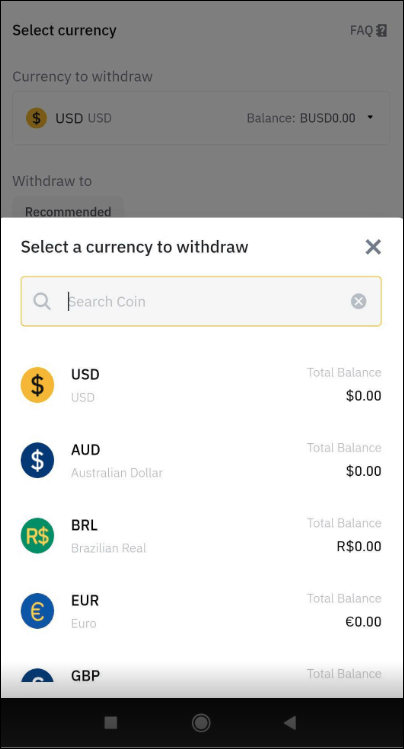
- Enter the receiving account details. Your name will populate as the receiver in the “Receiver Name” field. Then tap “Continue.”
- Next, check whether the information in the “Withdrawal Confirmation” pop up is correct, then tap “Confirm.”
How to Withdraw From a Binance Account on an iPad
No transaction fees apply when you withdraw USD from your Binance account using the SWIFT method. However, you’ll need to allow 1-4 business days for the funds to clear in the receiving account. Follow these steps to make a Binance fiat withdrawal from your iPad:
- Sign in to your account via the app.
- Tap the Wallet icon at the bottom right.
- Go through the currency list to find and select the USD option.
- Tap “Withdraw” at the bottom left.
- On the withdrawal screen, under “Recommended,” the “Bank Transfer (SWIFT)” method should display. The “Withdrawal info” section will confirm that the process takes 1-4 business days.
- At “Enter Amount,” tap the text field to enter an amount or select “Available” to withdraw the total balance, then tap “Continue.”
- Next, enter the receiver account details. Your name will populate automatically as the “Receiver Name,” then hit “Continue.”
- A “Withdrawal Confirmation” pop up will display, verify that the details are correct, then tap “Confirm.”
How to Instantly Withdraw from Binance
With the “Visa Fast Funds (Visa Direct)” option enabled, you can withdraw the currency in your “FIAT and Spot” wallet to your credit or debit card. The “Instant card withdrawal” payment method option, at the time of writing, is available only in the following countries:
- Austria
- Belgium
- Bulgaria
- Croatia
- Republic of Cyprus
- Czech Republic
- Denmark
- Estonia
- Finland
- France
- Germany
- Greece
- Hungary
- Iceland
- Italy
- Lavita
- Lithuania
- Malta
- Poland
- Portugal
- Romania
- Slovakia
- Slovenia
- Spain
- Sweden
- Russia
- UK
In most cases, your withdrawal request will be processed within five minutes. However, processing can take up to 24 hours in some rare cases. With instant card withdrawal transactions, there is a charge of 1%. The minimum withdrawal amount is 10 euros or $11.14. Follow these steps to withdraw fiat instantly to your credit or debit card:
- Sign in to your Binance account and select the “Wallet” tab.
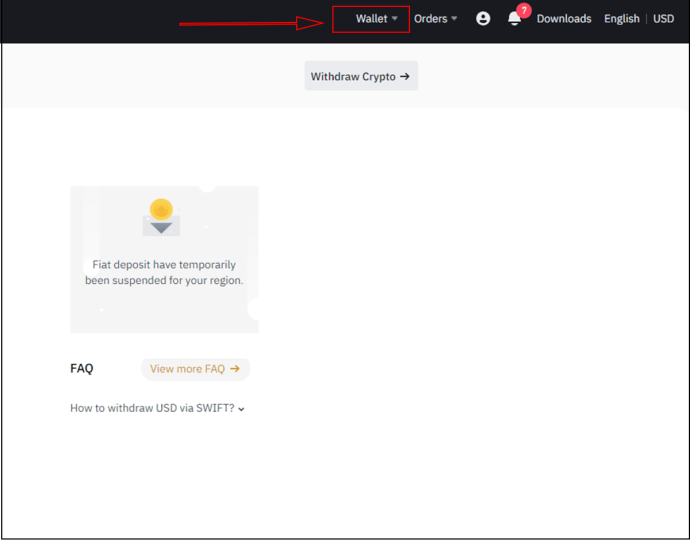
- Select “Withdraw (Fiat),” then choose the currency you wish to withdraw.
- Choose “Bank Card (Visa).”
- Enter the amount of money you want to withdraw in the “Amount” field.
- To complete your withdrawal, select your linked card or add a new card (complete the card details, then “Add card”).
- Click “Continue,” and a “Withdrawal Confirmation” popup will display.
- If you’re satisfied with the details, click “Confirm” to confirm the withdrawal.
- A “Security Verification” popup will then display. To complete the process, you’ll need to complete the security verification.
- To send a six-digit verification code to your phone, choose “Send SMS.”
- Enter the six-digit code in the “SMS Verification Code” text field. If you have Google authenticator enabled, you’ll need to enter Google’s verification code in the “Google verification code” field.
- Now hit “Submit.” An “Order Submitted” popup will display to confirm the successful withdrawal.
Additional FAQs
How do I withdraw crypto to a wallet?
If you intend to hold on to your crypto long term. Withdrawing it to a hardware wallet such as Trezor or Ledger is one of the safest ways to store it. Here’s how to withdraw crypto from your Binance account to your wallet:
1. Navigate to Binance.com and sign in to your account.
2. Click on the “Wallet” option at the top of the screen, and select “FIAT and Spot” from the drop-down menu.
3. A list of all your Fiat and Crypto balances will display. Choose the token you wish to withdraw by clicking “Withdraw” beside it.
4. You’ll be prompted to enter the withdrawal “Address” on the crypto withdrawal page.
5. Copy the “Receive” address from the external wallet and paste it into the “Receive” text field, or scan the QR code.
6. Enter the amount you want to withdraw, or to withdraw the available balance, click on “Max.” The minimal withdrawal amount will display in the “Amount” field.
7. The withdrawal fees and the total amount you’ll receive will display in a popup.
8. Once you’re satisfied, hit the “Submit” button. Subject to your two-factor authentication method, to complete the withdrawal, you may be prompted to complete security verification.
All your withdrawals will be shown under “Recent Withdrawal History.”
SWIFT Fiat Withdrawals
Binance accommodates for fiat withdrawals for any amount available in your account via different payment methods. To withdraw money from your account to a bank account, you can choose either the “Bank Transfer SWIFT” method or “Instant card withdrawal.” With SWIFT, there are no transaction fees, but you’ll need to allow up to four working days for the funds to clear. To get around this, where possible, make the withdrawal in advance of the time you’ll need it. On the other hand, the “Instant card withdrawal” method instantly transfers your money to a credit or debit card. This typically takes five minutes, but fees apply.
What do you think about the Binance platform? Is this the first crypto exchange platform you’ve used? If not, how does it compare to the ones you’ve used before? Share your thoughts in the comments section below.
READ NEXT


